
Designing Canva Social Media Template Packs People Renew Every Season
Who actually buys template packs
The buyer is rarely a designer. It is a coach, a salon owner, a bakery, a fitness instructor or a small e-commerce founder who needs to post consistently and has neither time nor training. Everything about your pack should serve that person: obvious structure, plain instructions, nothing that requires design judgement to look good. Design for the least confident buyer and the confident ones are served automatically.
Pack size and composition
Between twenty and sixty templates is the sweet spot. Below twenty feels thin; above sixty overwhelms. Cover the post types a small business actually needs: introduction, offer, testimonial, tip or educational carousel, behind the scenes, product feature, FAQ, quote, announcement and a call to action. A pack organised by purpose sells better than a pack organised by visual style.
Every aspect ratio that matters
Supply square feed posts, vertical stories and reels covers, and at minimum one horizontal option. Buyers post across platforms and resent having to resize. Building all ratios from the same components takes far less time than it appears, because your brand kit already holds the parts.
Make text placeholders instructive
Instead of lorem ipsum, write real prompts inside each template: 'Your offer in six words', 'One benefit, one sentence'. You are selling the buyer a content plan as much as a design, and prompts are what make an unused pack become a used one. This is also the most quoted feature in reviews of packs I have studied.
Include a content calendar
Add a one-page thirty-day posting plan mapping each template to a suggested day and theme. It costs an hour to produce, transforms the perceived value, and gives you an obvious selling point for the listing title and first image.
Instructions that assume nothing
Explain how to open the link, duplicate the file, change colours in bulk, swap the logo, replace images and download for each platform. Screenshots throughout. Assume the buyer has never used Canva before; the ones who have will skim past it in seconds.
- Open and duplicate the template
- Apply your brand colours
- Swap logo and photos
- Export at the right size
- Where to get help
Seasonal refreshes drive repeat sales
Release a seasonal add-on pack every quarter to your existing buyers at a low price. It is far cheaper to sell an add-on to someone who already trusts your design than to find a new buyer, and it keeps your catalogue visibly alive to both customers and search.
Mockups decide the click
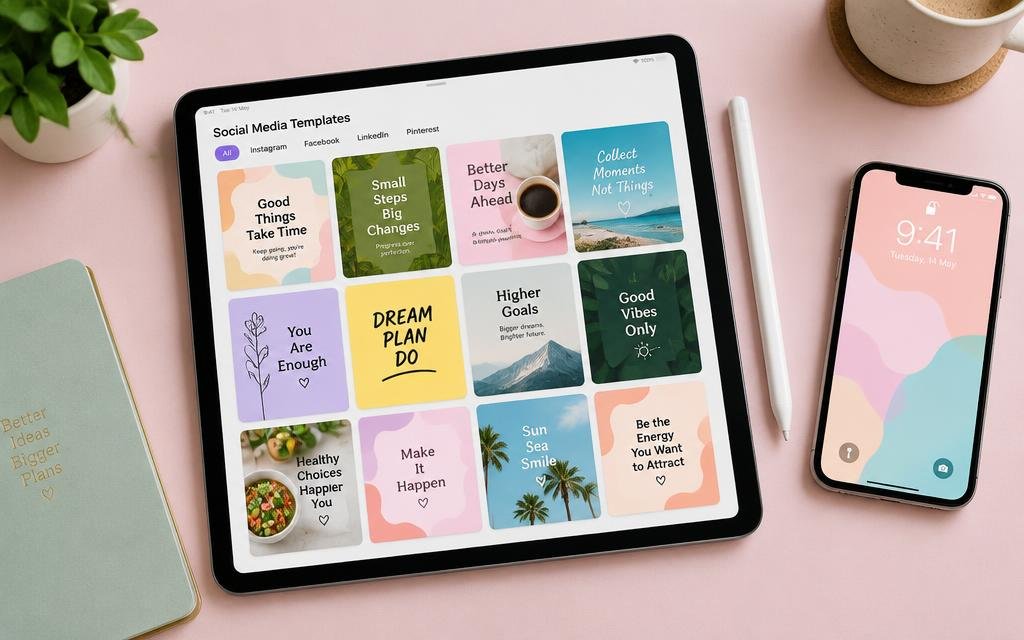
Show templates on a phone screen in a realistic context, not as a flat grid of rectangles. Lead with a device mockup, follow with the grid of everything included, then the content calendar, then the instructions page. The order of your images is a conversion decision, not a housekeeping one.
Skip the blank page. Browse the shop for instant downloads.
Browse the shop

